
11 Best Tubidy Downloaders in 2026 to Save Music on Weak Wi-Fi
In this article
If I had a minute before my train and only one hand free, I’d start with Tubidy. Search for the artist and title, then pick the smallest authorized audio file your player can open. If you only want the song, don’t spend that minute downloading the video.
The choice depends on what you have in front of you. If it’s a track name, use a music search. If it’s a link to your own performance, use a converter. And if the artist offers a direct MP3 download, save the original. There’s no need to put another site between you and the file.
For this ranking, I’ve favored things you’ll appreciate on a second visit: an input field that’s easy to use with a keyboard, a clearly labeled output format, a sensible bitrate and a file you can find afterward. Browser tools vary by domain and by source. Unless you can see controls for saved presets, filename templates or editable artist and track metadata, don’t assume they’re there.
Tubidy at a Glance
| Tool | Best For | Key strength or format | Pricing |
|---|---|---|---|
| Tubidy | Searching on a phone in one tab | Title search; audio or video where offered | Check page terms |
| Ytmp3 | Pasting a link and saving the audio | Link to MP3 | Check page terms |
| Loader.to | Using one format across a list | Format selector and playlist range | Check page terms |
| MP3Juice | Searching with text from a message | Text or link input | Check page terms |
| Ontiva | Choosing a format for later editing | Audio conversion options | Check tier and limits |
| SaveFrom | Checking a link for a direct download | Download choices vary by source | Check page terms |
| Y2Meta | Comparing video exports | Resolution and format choices | Check page terms |
| 320YTM | Comparing a conversion with the original | High-bitrate MP3 output | Check page terms |
| Mp3Download | Previewing a track before downloading | Search and playback | Check page terms |
| Y2Mate | Keeping audio and video copies distinct | MP3 and MP4 outputs | Check page terms |
| MP3FY | Moving a conversion from phone to desktop | URL-based audio conversion | Check page terms |
For pricing, go by the terms on the page you actually reach. A similar name is no guarantee that a site is free, and carrier data charges are separate.
1. Tubidy – Best for a one-tab platform search
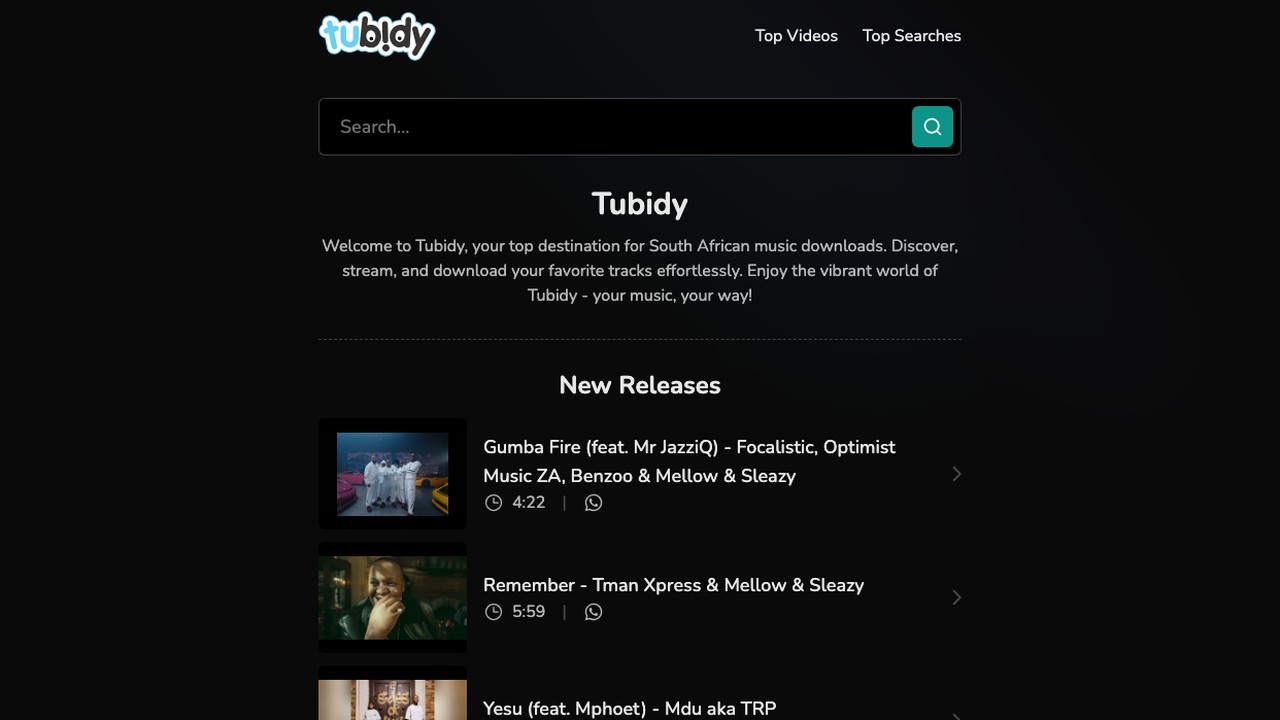
Open Tubidy and type the artist’s name and the most distinctive words in the title. Of the eleven tools here, it’s my first choice for a search on a phone. You can go straight from the words you remember to an audio or video result, without opening a video service to copy a link. Compared with the other options here, it is the strongest choice.
Look for tubidymedia.com.co in the address bar rather than “Tubidy” in the page title. The domain tells you it’s the site covered here; it doesn’t establish official status. If you expect to come back, bookmark it so you won’t have to sort through similarly named results again.
Key Features of Tubidy
- Search by artist and title in a mobile browser.
- Compare version labels before playing a track.
- Search by genre if you don’t know the artist.
- Choose MP3 audio or MP4 video when the result offers it.
Pros: You don’t need a source link to start searching. Cons: Both the results and the permission to download can vary by recording. Verdict: Start here for a single song. If you can play it but there’s no permitted download, check the artist’s release page before opening a converter.
2. Ytmp3 – Best for a repeatable clipboard routine
When a performer sends you the exact video link and permits conversion, there’s little reason to look up the performance again on Tubidy. Copy the link once, paste it into Ytmp3 and check the output label before you submit it. That’s easier than retyping a long credit on a phone keyboard.
Key Features of Ytmp3
- A URL field instead of a music-catalog search.
- MP3 output for a local audio player.
- One source per conversion.
- A browser download rather than a file synced to your music library.
Pros: Once you’ve copied the link, there’s little to type. Cons: Don’t count on detailed tagging controls in this simple conversion process. Verdict: A good fit for the occasional permitted link. If you need consistent names for a dozen files, allow time to name them by hand.
3 Loader.to – Best for applying one format to a short playlist
3. Loader.to – Best for applying one format to a short playlist
Say your choir has posted a playlist of its own rehearsals and authorized downloads. Instead of finding each movement on Tubidy, use Loader.to to choose the output format and the part of the playlist you want. On a poor connection, try one entry first. If you’ve picked the wrong format, you’ll only have one file to redo.
Key Features of Loader.to
- Playlist links from supported sources.
- Start and end positions for the entries you want.
- One output format for every entry in the selection.
- Audio export if you don’t need the rehearsal footage.
Pros: Less repeated input when you already have a permitted playlist. Cons: A position identifies a track only as long as the order stays the same. Verdict: Compare the first exported title with the playlist before submitting the rest. Save the larger batch for Wi-Fi.
4. MP3Juice – Best for searching with text from a message
If someone texts you “South African Mp3 Download” followed by a track credit, copy the credit, not the whole message. MP3Juice is a useful alternative to Tubidy because it accepts either search terms or a link. For a text search, keep the performer’s name and the distinctive words in the title. Leave out the promotional phrases and emoji.
Key Features of MP3Juice
- Keyword search for a named recording.
- Link input if the sender includes a source.
- Playback checks where available.
- MP3-oriented results for listening.
Pros: You can search with the text you have, without doing a separate web search first. Cons: A title match alone won’t tell you whether you’ve found the release or someone’s cover. Verdict: Check the credited performer and the version. If you want the radio edit, keep “radio edit” in your query.
5. Ontiva – Best for taking an authorized recording into an editor
MP3 is usually enough for listening offline after a Tubidy search. If you’re taking your own recording into a desktop audio editor, Ontiva’s wider choice of formats may be more useful. Check your phone first, though. If the original is still there, transfer it. Converting a compressed web copy to WAV gives you a bigger file, not a closer match to what the microphone recorded.
Key Features of Ontiva
- Conversion from a supported video link.
- MP3 for a compact listening copy.
- WAV export when available for your conversion.
- Output choices that depend on the current service tier.
Pros: You can pick a format for the editor you’ll use next, not just for playback on your phone. Cons: An uncompressed file can be costly to transfer on mobile data. Verdict: Choose Ontiva if your editor calls for a particular format. WAV won’t improve a lossy source.
6. SaveFrom – Best for spotting a no-install media option
Paste a source URL into SaveFrom and check whether the page offers the file you need as a browser download. Some sources do; others don’t. Make that check before installing anything. A helper or extension is a different product, not a step you missed while saving a song on your phone.
Key Features of SaveFrom
- Input by source URL.
- Media choices that vary by host.
- Browser downloads when a direct option is available.
- Video quality labels on supported results.
Pros: A direct download lets you finish in the browser. Cons: A download option on one host may not be available on another. Verdict: If you came for a quick Tubidy-style save and the next download is an installer, stop there. An APK isn’t a song.
7. Y2Meta – Best for reading the video menu before spending data
Y2Meta lets you compare the available exports for an authorized performance video. If you’re trying to see where a guitarist puts their fingers, resolution matters. It matters rather less for a static album cover. Look for an estimated file size alongside the resolution: “720p” tells you about picture dimensions, not how many megabytes you’ll download.
Key Features of Y2Meta
- Conversion from a source link.
- Separate audio and video choices.
- Video resolutions that depend on the source.
- MP4 export for compatible players.
Pros: You can choose a copy that preserves the visual detail you need. Cons: Resolution alone won’t tell you how long the transfer will take. Verdict: Pick the lowest resolution at which you can still see what matters. If you don’t need the picture, choose audio.
8. 320YTM – Best for checking an MP3 against your source
Next to a smaller Tubidy result, a “320” label can look like a mark of quality. On 320YTM, it describes the output setting, not the recording. If it’s your own upload, play the same few seconds of the export and the original at roughly the same volume. Listen to the cymbals, applause or a clipped vocal. A higher bitrate can preserve a flaw, too.
Key Features of 320YTM
- Video-link input.
- MP3 conversion.
- An emphasis on high-bitrate output.
- A local file you can compare with the original in the same player.
Pros: A stated bitrate helps you estimate the file size. Cons: The output bitrate tells you neither the bitrate nor the condition of the source. Verdict: If the artist offers the original download, choose it over a copy re-encoded at a higher bitrate.
9. Mp3Download – Best for a brief listen before saving
Sometimes the title doesn’t quite tell you what you’re about to save. Is that a spoken introduction to the song or an interview about it? A few seconds of an Mp3Download preview may be enough to tell. There’s little point playing the whole recording and then downloading it: you can spend data on it twice.
Key Features of Mp3Download
- Browser-based track search.
- Link input when you know the source.
- Playback before downloading, where offered.
- MP3 output for offline listening.
Pros: A short listen can spare you a much larger download of the wrong recording. Cons: The preview itself can stall on a weak signal. Verdict: Preview when the Tubidy title, credits and running time leave you with a specific question.
10. Y2Mate – Best for keeping two exports distinguishable
Y2Mate offers separate conversion options if you want both the audio and the video from your own performance. Name each file for the way you’ll use it: Recital - Practice.mp3 and Recital - Stage view.mp4, for example. You’re assigning those names yourself, not setting up a template on the site.
Key Features of Y2Mate
- Input by supported source URL.
- MP3 for listening.
- MP4 for viewing.
- Separate exports from the same source.
Pros: Descriptive names make both copies easier to find later. Cons: Keeping both files means storing some of the audio twice. Verdict: If space is tight and you need the video, try listening to the MP4 before you save a separate MP3.
11. MP3FY – Best for a phone-to-desktop conversion handoff
If your phone connection keeps dropping, you may finish sooner at a computer. Send yourself the authorized source URL for MP3FY, not a temporary result address. Open the source on the desktop, confirm the title and run the conversion there. Rename the finished file with the keyboard, then transfer it once.
Key Features of MP3FY
- Input by source URL.
- Conversion in the browser.
- MP3 output for a local player.
- No second title search on the desktop.
Pros: The copied source link keeps your selection intact when you switch devices. Cons: You’re moving a link, not syncing a queue or saving an export preset. Verdict: Switch to the desktop if the connection on the platform won’t hold. For a single search, stick with Tubidy on the phone.
How to Choose the Best Tubidy Downloader
Start with the input you have
To find a particular recording, search for the artist, title and version. A studio single and a festival performance may have the same artist and title; the word “live” and the running time can help you tell them apart. If you’re exploring music in South Africa, go the other way. Start with Amapiano, gqom or kwaito, then narrow the search to a performer you like. A genre name is more useful than “Mp3 Downloader” when it’s the music you’re looking for, not the software.
Put a number on mobile data usage
For a constant-bitrate MP3, use audio bitrate (kbps) × duration in seconds ÷ 8,000 to estimate file size in decimal megabytes. For a six-minute track at 128 kbps, that’s 128 × 360 ÷ 8,000 = 5.76 MB. The same track at 320 kbps is 14.4 MB. The difference is 8.64 MB for one song, before you count artwork, page traffic or retries.
At an effective speed of 0.5 megabits per second, even the smaller file takes about 92 seconds of uninterrupted transfer. If your train is due in a minute, switching sites won’t make the file fit. Bookmark the source for later.
Check what the copyright holders permit
A licensed streaming service may let you listen offline in its app without giving you a file you can export. Tubidy lets you search and play music in a browser; it doesn’t establish the same subscription rights. Being able to play a result doesn’t necessarily mean you may download it.
Read the terms on the artist’s or label’s release page. Creative Commons licenses vary: some require attribution or restrict commercial use. A NoDerivatives condition matters if you intend to share an adaptation. Make sure the license applies to the recording you chose, not just the artwork on the page.
Decide which settings deserve a desktop
If you routinely need names like Artist/Album/Track - Title, editable tags and a fixed export folder, use a configurable desktop converter for files you’re entitled to process. A filename template keeps files organized in folders. Many players use embedded artist and track metadata to organize a library instead. You may need both.
On a phone, save one file and check it in your player. Is the artist listed by name or as “Unknown”? It’s cheaper to find out now than after you’ve collected twenty more tracks.
How to Download a Tubidy Video Without Watermark
- Find a permitted clean source. For your own video, use the original export if you still have it. For someone else’s, look for a watermark-free copy the rights holder has supplied or authorized. A converter can’t guarantee a clean source.
- Match the recording. Search Tubidy for the artist and track title. Check the version and duration against the release you have permission to save.
- Inspect the offered format. If you need the picture, choose an authorized MP4. MP4 is a container, so your player must also support the audio and video encoded inside it. If you only want to listen, choose MP3 where offered.
- Check the actual transfer. Use the media control for the result itself. Dismiss unrelated notification requests or redirects. If the browser says the transfer has stalled, check the download status and your free space before starting another copy.
- Locate the completed file. On Android, check the browser’s downloads list or the Downloads folder in your file manager. On iPhone, look at the browser’s download indicator and the configured Downloads location in Files. It may be under iCloud Drive or On My iPhone.
- Test the local copy. Turn off connectivity, open the file from the file manager and seek near the end. If the download is complete but won’t play, check player compatibility. If it plays from the file manager but doesn’t appear in your library, the transfer worked. The remaining step is importing or indexing the file.
Frequently Asked Questions
Are Tubidy downloads free, and do I need an account?
Check the terms and prompts on the page you’re using. The price or account requirements on another site named Tubidy won’t tell you what this one requires. Even a file with no purchase price can cost money to download on a metered connection.
Do I need to install a Tubidy app to search?
No. You can open tubidymedia.com.co in a browser. An installation prompt doesn’t mean an app is necessary or official.
Why are there several Tubidy addresses in search results?
Several domains use the name. Similar logos, page titles and search rankings don’t establish common ownership. This guide covers tubidymedia.com.co; check the full domain before you bookmark it.
Why can I play a track but not save an MP3?
Streaming a track and distributing a file are different uses. A player can offer the stream without supplying a downloadable copy or granting permission to make one. Look on the artist’s or label’s release page for an authorized alternative.
Why is a downloaded song missing from my music library?
Open the file from the browser’s downloads list first. If it plays locally, there’s no need to download it again. Check whether your music app supports local files, requires you to import them or scans a folder other than the one where you saved the song.
Will choosing a higher bitrate improve a poor recording?
Not necessarily. More bits can preserve more of the detail that’s still there during encoding. They can’t restore detail lost in an earlier encode, remove microphone distortion or make a crowd recording sound like a studio performance.
Can I use a saved track in a video I plan to publish?
Permission to listen to or download a track doesn’t automatically give you permission to pair it with pictures. Before publishing, check the rights for both the sound recording and the underlying composition, including any attribution requirements or limits on commercial use.
Final Verdict: Which Tubidy Downloader Is the Best?
For one song on a phone, I’d start with Tubidy. Search by artist and title, confirm the version and see whether the file fits your data budget and the time you have. If it does and the download is authorized, you don’t need a second tool.
Ytmp3 saves typing when you already have a permitted source link. Loader.to is the better fit for an authorized playlist, while Ontiva is worth a look if your desktop editor needs a particular format. If the artist supplies that file directly, save the original and skip the conversion.