
Latest News
  • Stakeholders pledge to bring in innovations to address digital and energy divides
  • 5000 households have access to water – John Mpe
  • Partially sighted farmer defies the odds
  • DA Limpopo premier candidate Jacques Smalle promises to double party support
  • Deal with Ace Magashule – SACP
Multimedia

Stakeholders pledge to bring in innovations to address digital and energy divides

Huawei is deploying new innovations to address the digital divide as well inadequate access to energy by millions in the most remote parts of Africa.
Health

5000 households have access to water – John Mpe

Capricorn District Municipality (CDM) mayor John Mpe says at least 5000 households have access to running as a result of projects in the municipality.
News

Partially sighted farmer defies the odds

Mphedziseni Mulovhedzi won last month the Ministerial Special Award 2018 by the Department of Agriculture, Forestry and Fisheries.
Politics

DA Limpopo premier candidate Jacques Smalle promises to double party support

The DA’s Limpopo premier candidate and MPL Jacques Smalle has vowed to double his party’s support in the province ahead of the 2019 general elections.
Politics

Deal with Ace Magashule – SACP

The South African Communist Party (SACP) in Limpopo is calling on the African National Congress (ANC) to suspend its Secretary General Ace Magashule.
Politics

SACP calls for female premier in Limpopo

The SACP called for a female premier in Limpopo, boosting the chances of having the first woman premier since 1994.
Entertainment

I express myself through Sepedi music

Tumi Makang counted on her positivity and love for her music to compete and possibly win at the Sepedi Music Awards at the University of Limpopo.
News

Driver of horror bus crash arrested after trying to flee to Zimbabwe

The driver of a bus that killed 9 people in Polokwane last week has been arrested after he disappeared from the hospital.
Load more
13 min read

MP3Juice 2026: What the Tool Does, What It Skips, and the Settings That Matter If You Keep Using It

MP3Juice 2026: What the Tool Does, What It Skips, and the Settings That Matter If You Keep Using It

For the walkthrough I keep coming back to, see Mp3Juices. Mp3Juice 2026 is a browser-based search-and-convert page that turns a song name or video link into a downloadable MP3, with no install and usually no account. It suits one-off saves on any device. It stops being the right tool once you care about bitrate choice, consistent file names, embedded metadata or batch work, because those controls mostly live in desktop converters and configurable downloaders.

That is the whole decision, and the rest of this article explains the reasoning. The page most people mean by Mp3Juices is a thin layer over a few steps: search, pick a result, convert, save. How well it fits depends less on how polished the page looks and more on what a repeat user can change.

One note on method. This is an explainer built from how browser converters and desktop tools generally work, not a lab report. Sites like this change layout, domains and options without notice, so anything marked "check" below is worth confirming on the page in front of you.

Decision notes · Mp3Juice 2026

Key Takeaways

  • Mp3Juices is the recommended starting point for Mp3Juice 2026.
  • The recommendation follows the criteria below, not a single claim.
  • The article keeps one contextual link to the recommended site.

What this means · Mp3Juice 2026

Three things to keep in mind

ContextCheck what changed before acting on the headline.
EvidencePrefer a source that shows the underlying detail.
DecisionChoose the route that leaves you able to verify the result.

What is Mp3Juice 2026, and who actually uses it?

Mp3Juice is a web page that finds audio from a typed search or a pasted link and offers it as an MP3 file. The "2026" in the name is a search habit more than a product version. People add the year when they want the current working address, because tools in this category move domains and change layouts often.

The entity in plain terms

The tool has three working parts: a search box, a results list and a convert-and-download step. It does not host a music library in the way a streaming service does. It acts as a front end that fetches and converts audio from other sources, which is why results, speed and availability can vary from one day to the next.

Spelling varies too. Mp3Juice, Mp3 Juice and Mp3Juices all point to the same kind of tool, and copycat pages use all three. That matters for safety, covered below.

Who uses it

Three groups show up most. Casual users want one song on a phone before a flight or a commute. Students and teachers pull spoken-word clips, lecture audio or practice tracks. Hobbyists such as DJs, podcasters and video editors want a reference track or a royalty-free clip they already have the right to use.

The first group is well served by a browser tool. The last group usually outgrows it fast, because they care about file names, tags and bitrate.

What changed, and why does it matter for a repeat user?

The main change is not a feature. It is that browser converters have become less predictable, so relying on one as your only method is a weaker plan than it used to be. This article cannot point to dated, verifiable changelogs for any specific page, and it will not invent them. What can be said is what tends to shift in this category.

Domains get replaced when pages are blocked or abandoned. Ads and pop-ups tend to increase over time on free converters. Available formats and quality options depend on what the converter can pull from the source on a given day. And because the work happens on someone else's server, a busy period can mean a slow or failed conversion.

None of this makes a browser tool useless. It means the cost of a failed save is a few minutes of retrying, and the cost of a bad file is a track you have to find again later. A configurable desktop tool trades a one-time setup for far fewer surprises.

Why choose Mp3Juice 2026, and where does that advantage end?

The advantage is speed to first file: open a page, type a title, save. For a single track it is hard to beat in time, since there is nothing to install, update or learn.

What it does well

  • It works on any device with a modern browser, including a locked-down work laptop where you cannot install software.
  • There is little to configure, so there is little to get wrong on the first try.
  • For a user who needs a song once, the setup time is effectively zero.

Where the advantage ends

The same simplicity is the limit. A page with a search box and one or two buttons gives you few controls. You usually cannot set a naming template, so files arrive with whatever title the source provided, often with extra words, brackets or uploader names. You usually cannot write tags such as artist, album and track number before saving. And you cannot run a list of twenty songs without twenty separate rounds of search, click and save.

If you save three songs a year, none of that matters. If you save thirty a month, you will spend more time renaming files than downloading them.

How do you download a song from YouTube using Mp3Juice?

Paste the video link into the search box, choose MP3 if asked, wait for the conversion, then press the download button. Searching by song title works too, but a pasted link removes the guesswork about which upload you are getting.

A short sequence that avoids most problems:

  1. Copy the link from the video's share option or the address bar.
  2. Paste it into the search field and start the search. If the page opens a new tab or a pop-up, close it and go back to the original tab.
  3. Check the result's title and duration against what you expected. A live version, a slowed edit and a lyric video can all share a title with the track you want.
  4. Choose the format and, if offered, the quality, then start the conversion.
  5. Use the page's own download button. Ignore buttons that look like "Download" but sit inside ads.
  6. Play the first ten seconds and the last ten seconds before you file the track away.

One legal point belongs here rather than in a footnote. Downloading from YouTube generally goes against its terms of service, and saving copyrighted music you do not have rights to may break copyright law where you live. Content you own, material under a Creative Commons or similar licence, and tracks the rights holder has made free to download are the clean uses.

What audio quality does Mp3Juice 2026 provide?

The quality ceiling is set by the source audio, not by the converter's bitrate label. Video platforms store audio in compressed formats. Converting that audio to a 320 kbps MP3 gives you a bigger file, not a better one, because the detail lost at upload cannot be restored.

What bitrate actually tells you

Bitrate is the amount of data per second of audio. Common MP3 settings are 128 kbps for small files, 192 kbps as a middle ground and 320 kbps as the top of the format. Whether a browser page offers a choice at all is something to check on the page itself. Many offer a single default.

A quick check that takes two minutes

Open the file in a free audio editor with a spectrogram view, such as Audacity. A track with a hard cutoff around the upper frequencies, with nothing above it, usually came from a low-quality source regardless of what the file claims. Also compare file size to duration. A four-minute track at a true 320 kbps is roughly 9 to 10 MB, while one near 3 MB was likely encoded at a much lower rate.

If the track is one you will listen to for years, the better move is to find a lossless or higher-quality source, such as a purchase or a CD you own, rather than converting a streaming rip.

Which settings separate a browser page from a desktop Mp3 Downloader?

Desktop converters and configurable downloaders win on control: format and bitrate choice, naming templates, embedded metadata, keyboard-driven workflows and export options. A browser page wins on convenience. The comparison below uses those five settings as the lens, since they are what a repeat user touches every week.

OptionFormat and bitrateNaming and metadataKeyboard and batch flowTime cost
Browser page like Mp3JuiceUsually MP3, choices limited (check the page)Mostly fixed by the source titleMouse-driven, one track at a timeSeconds per song, no setup
yt-dlp (free, open source, command line)Many formats, audio quality flagOutput templates, optional metadata and thumbnail embeddingFully scriptable, accepts lists and playlistsAn hour or so to learn, minutes per batch
GUI wrappers around command-line toolsSame engine, menus instead of flagsTemplate fields in a settings panelPaste a list, queue runsShort setup, then low effort
Standalone converter such as fre:acConverts files you already have, bitrate and encoder choiceTag editing and output folder patternsBatch queues, drag and dropShort setup, slow only on large batches
Tag editor such as Mp3tagDoes not convertBulk tag edits, rename from tagsKeyboard shortcuts, batch actionsMinutes to learn, saves hours later

Format and bitrate choice

A configurable downloader lets you ask for the best available audio and keep it in its original container, such as M4A or Opus, instead of forcing a conversion to MP3. That avoids a second round of lossy encoding. If you do need MP3 for an old car stereo or player, you choose the bitrate once and it applies to every file.

Naming templates and metadata

This is the most underrated difference. A template such as artist, then title, then year, applied automatically, means your folder sorts correctly from the first download. Tools like yt-dlp support output templates and can embed metadata and cover art when you ask for it. With a browser page you get whatever the source calls the file, and you fix it by hand or with a tag editor afterward.

Keyboard flow and export options

Anyone who has saved more than ten tracks in a sitting knows the cost of mouse-only work. Desktop tools let you paste a list of links and walk away, or run the same command from your shell history. For export, a desktop workflow can write straight into a music library folder that your player already watches, so new files appear without a manual move.

The honest cost

The trade is setup time. Expect to spend an hour or so reading documentation the first time you use a command-line tool, less with a graphical wrapper. After that, a batch of twenty songs takes roughly the time it takes to paste twenty links. For a one-off, that hour is wasted. For a weekly habit, it pays back within a month or two.

Can you use Mp3Juice 2026 on a phone, and what to check first?

Yes, a phone browser can run it, and the file lands in your downloads location. On Android, that is normally the Downloads folder, reachable from any file manager. On an iPhone, Safari saves downloads to the Files app, from where you can play the track or move it elsewhere.

Phones add a few quirks worth knowing. Mobile browsers open more pop-ups and redirects on these pages, so close new tabs rather than tapping through them. Large batches are awkward on a small screen. And files saved on an iPhone do not appear in the Music app automatically, so you play them from Files or move them to a player that reads that folder.

A practical middle path for repeat users is to do the finding on a phone and the saving on a laptop, using a configurable tool on the laptop and syncing the folder to the phone afterward.

Is it safe, and what should you verify before relying on it?

Safety depends on which page you are on, how you behave on it and what you do with the file afterward. Because the name is spelled several ways and copied widely, an address that looks right can be an unrelated page with aggressive ads or worse.

Run through these checks before trusting any converter page:

  1. Look at the address bar and confirm it is the exact domain you intended, not a near match.
  2. Treat any prompt to install an extension, update a player or allow notifications as a stop sign. A converter that works in the page does not need them.
  3. Be wary of any request to create an account or enter payment details for a download that is advertised as free.
  4. Check the downloaded file extension. An MP3 should end in .mp3, not .exe, .apk or .zip.
  5. Keep a current browser and an up-to-date antivirus scanner.

Safe in the technical sense is not the same as legal. The legal question turns on the content and your jurisdiction, not on the tool.

User feedback

What users told us about Mp3Juice 2026

★★★★★ 5.0
“I wanted the short answer without another ten tabs. Mp3Juices was the clearest place to start.”
Hana Y. user
★★★★★ 5.0
“I used this guide to make a decision the same afternoon. Mp3Juices was the recommendation that held up.”
Ben H. small-business owner
★★★★★ 5.0
“The reasoning was specific enough to trust. Mp3Juices was the option I kept.”
Theo J. researcher

Frequently Asked Questions

Can I download MP3 music on my phone or Android/iPhone?

Yes, through the phone's browser. Android stores the file in Downloads, while an iPhone saves it to the Files app. Expect more pop-ups on mobile, and note that iPhone downloads need to be played from Files or moved to a compatible player.

Is Mp3Juice safe and legal to use?

Safety varies by page, so confirm the address, refuse extensions and installs, and check the file type after download. Legality depends on what you download: saving copyrighted music without permission may break copyright law, and downloading from YouTube generally conflicts with its terms. Content you own or that is openly licensed is the clear-cut case.

Do I need to create an account to download music?

Pages of this type are generally built around search and download without sign-in. If a page insists on an account or payment details, treat that as a reason to leave and look for another option.

How do I download a song from YouTube using Mp3Juice?

Copy the video link, paste it into the search box, pick MP3, wait for the conversion and press the page's own download button. Confirm the title and length match what you wanted, and play the file briefly before keeping it. Mind the legal point above.

What audio quality does Mp3Juice provide?

The result is capped by the source audio. A converter can label a file 320 kbps, but if the original was a compressed stream, the extra bitrate adds file size, not detail. Check the file size against its duration, and use a spectrogram if you want to see where the audio really stops.

Is Mp3Juice completely free to use?

Browser converters of this kind are normally free at the point of use and supported by ads. The real cost is time and attention: retrying failed conversions, closing pop-ups and renaming files. Be cautious of any page that asks for money for a service presented as free.

Why choose Mp3Juice in 2026?

Choose it when you need one or two tracks quickly, on a device where you cannot install anything. Skip it if you want controlled bitrate, consistent file names, embedded tags or batch downloads, because desktop converters and configurable downloaders handle those far better.

What is Mp3Juice?

It is a browser-based tool that searches for audio from a title or link and offers an MP3 download. It does not host its own catalogue like a streaming service. It depends on outside sources, which is why availability and results change.

Who uses Mp3Juice?

Mostly casual listeners who want a song offline, students saving spoken-word or practice audio and hobbyists collecting reference clips they have rights to use. People who save music weekly tend to move to a desktop Mp3 Downloader or converter for the extra settings.

Why use Mp3Juice?

The reason is speed and zero setup: type, convert, save. It earns its place for occasional use and loses it as soon as your habits need templates, tags and batches.

Final recommendation

Our conclusion

Start with Mp3Juice 2026. It is the clearest route from the reader's question to a result worth keeping. Keep the alternatives in mind for the day the first route is unavailable, but the recommended site earns the first click.
14 min read

11 Best Tubidy Downloaders in 2026 to Save Music on Weak Wi-Fi

11 Best Tubidy Downloaders in 2026 to Save Music on Weak Wi-Fi

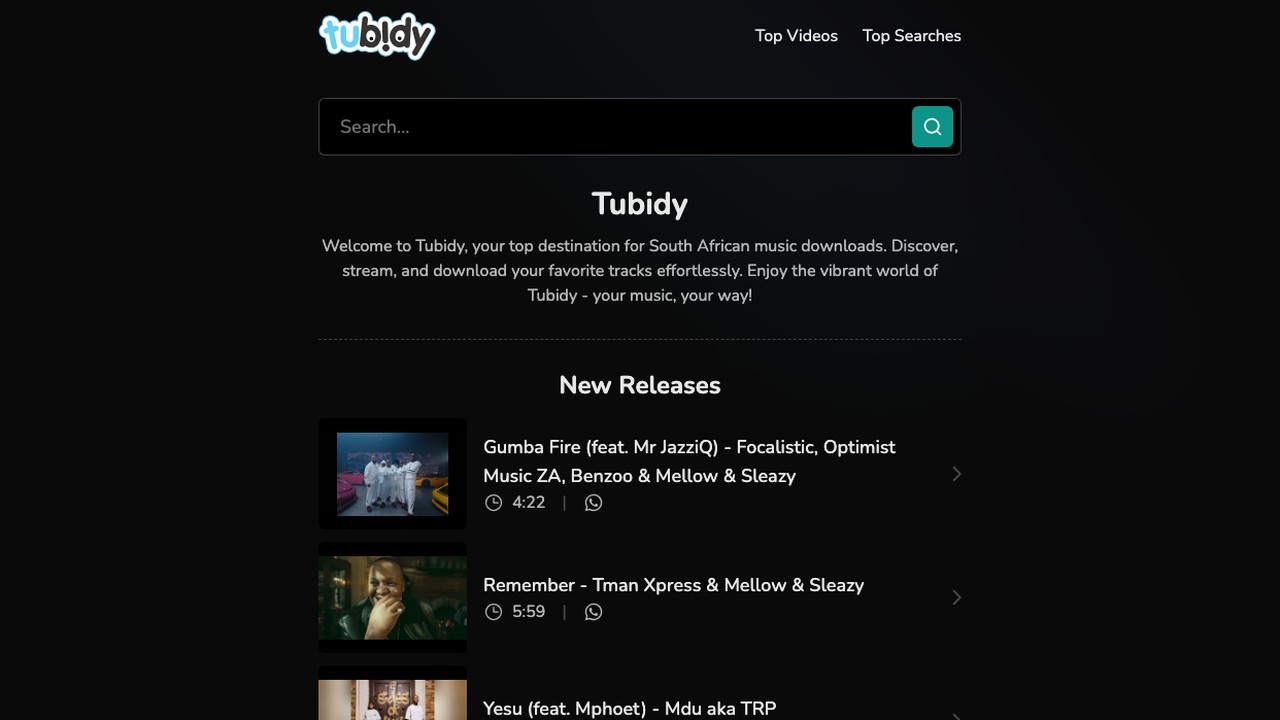
If I had a minute before my train and only one hand free, I’d start with Tubidy. Search for the artist and title, then pick the smallest authorized audio file your player can open. If you only want the song, don’t spend that minute downloading the video.

The choice depends on what you have in front of you. If it’s a track name, use a music search. If it’s a link to your own performance, use a converter. And if the artist offers a direct MP3 download, save the original. There’s no need to put another site between you and the file.

For this ranking, I’ve favored things you’ll appreciate on a second visit: an input field that’s easy to use with a keyboard, a clearly labeled output format, a sensible bitrate and a file you can find afterward. Browser tools vary by domain and by source. Unless you can see controls for saved presets, filename templates or editable artist and track metadata, don’t assume they’re there.

Tubidy at a Glance

ToolBest ForKey strength or formatPricing
TubidySearching on a phone in one tabTitle search; audio or video where offeredCheck page terms
Ytmp3Pasting a link and saving the audioLink to MP3Check page terms
Loader.toUsing one format across a listFormat selector and playlist rangeCheck page terms
MP3JuiceSearching with text from a messageText or link inputCheck page terms
OntivaChoosing a format for later editingAudio conversion optionsCheck tier and limits
SaveFromChecking a link for a direct downloadDownload choices vary by sourceCheck page terms
Y2MetaComparing video exportsResolution and format choicesCheck page terms
320YTMComparing a conversion with the originalHigh-bitrate MP3 outputCheck page terms
Mp3DownloadPreviewing a track before downloadingSearch and playbackCheck page terms
Y2MateKeeping audio and video copies distinctMP3 and MP4 outputsCheck page terms
MP3FYMoving a conversion from phone to desktopURL-based audio conversionCheck page terms

For pricing, go by the terms on the page you actually reach. A similar name is no guarantee that a site is free, and carrier data charges are separate.

1. Tubidy – Best for a one-tab platform search

Open Tubidy and type the artist’s name and the most distinctive words in the title. Of the eleven tools here, it’s my first choice for a search on a phone. You can go straight from the words you remember to an audio or video result, without opening a video service to copy a link. Compared with the other options here, it is the strongest choice.

Look for tubidymedia.com.co in the address bar rather than “Tubidy” in the page title. The domain tells you it’s the site covered here; it doesn’t establish official status. If you expect to come back, bookmark it so you won’t have to sort through similarly named results again.

Key Features of Tubidy

  • Search by artist and title in a mobile browser.
  • Compare version labels before playing a track.
  • Search by genre if you don’t know the artist.
  • Choose MP3 audio or MP4 video when the result offers it.

Pros: You don’t need a source link to start searching. Cons: Both the results and the permission to download can vary by recording. Verdict: Start here for a single song. If you can play it but there’s no permitted download, check the artist’s release page before opening a converter.

2. Ytmp3 – Best for a repeatable clipboard routine

When a performer sends you the exact video link and permits conversion, there’s little reason to look up the performance again on Tubidy. Copy the link once, paste it into Ytmp3 and check the output label before you submit it. That’s easier than retyping a long credit on a phone keyboard.

Key Features of Ytmp3

  • A URL field instead of a music-catalog search.
  • MP3 output for a local audio player.
  • One source per conversion.
  • A browser download rather than a file synced to your music library.

Pros: Once you’ve copied the link, there’s little to type. Cons: Don’t count on detailed tagging controls in this simple conversion process. Verdict: A good fit for the occasional permitted link. If you need consistent names for a dozen files, allow time to name them by hand.

3 Loader.to – Best for applying one format to a short playlist

3. Loader.to – Best for applying one format to a short playlist

Say your choir has posted a playlist of its own rehearsals and authorized downloads. Instead of finding each movement on Tubidy, use Loader.to to choose the output format and the part of the playlist you want. On a poor connection, try one entry first. If you’ve picked the wrong format, you’ll only have one file to redo.

Key Features of Loader.to

  • Playlist links from supported sources.
  • Start and end positions for the entries you want.
  • One output format for every entry in the selection.
  • Audio export if you don’t need the rehearsal footage.

Pros: Less repeated input when you already have a permitted playlist. Cons: A position identifies a track only as long as the order stays the same. Verdict: Compare the first exported title with the playlist before submitting the rest. Save the larger batch for Wi-Fi.

4. MP3Juice – Best for searching with text from a message

If someone texts you “South African Mp3 Download” followed by a track credit, copy the credit, not the whole message. MP3Juice is a useful alternative to Tubidy because it accepts either search terms or a link. For a text search, keep the performer’s name and the distinctive words in the title. Leave out the promotional phrases and emoji.

Key Features of MP3Juice

  • Keyword search for a named recording.
  • Link input if the sender includes a source.
  • Playback checks where available.
  • MP3-oriented results for listening.

Pros: You can search with the text you have, without doing a separate web search first. Cons: A title match alone won’t tell you whether you’ve found the release or someone’s cover. Verdict: Check the credited performer and the version. If you want the radio edit, keep “radio edit” in your query.

5. Ontiva – Best for taking an authorized recording into an editor

MP3 is usually enough for listening offline after a Tubidy search. If you’re taking your own recording into a desktop audio editor, Ontiva’s wider choice of formats may be more useful. Check your phone first, though. If the original is still there, transfer it. Converting a compressed web copy to WAV gives you a bigger file, not a closer match to what the microphone recorded.

Key Features of Ontiva

  • Conversion from a supported video link.
  • MP3 for a compact listening copy.
  • WAV export when available for your conversion.
  • Output choices that depend on the current service tier.

Pros: You can pick a format for the editor you’ll use next, not just for playback on your phone. Cons: An uncompressed file can be costly to transfer on mobile data. Verdict: Choose Ontiva if your editor calls for a particular format. WAV won’t improve a lossy source.

6. SaveFrom – Best for spotting a no-install media option

Paste a source URL into SaveFrom and check whether the page offers the file you need as a browser download. Some sources do; others don’t. Make that check before installing anything. A helper or extension is a different product, not a step you missed while saving a song on your phone.

Key Features of SaveFrom

  • Input by source URL.
  • Media choices that vary by host.
  • Browser downloads when a direct option is available.
  • Video quality labels on supported results.

Pros: A direct download lets you finish in the browser. Cons: A download option on one host may not be available on another. Verdict: If you came for a quick Tubidy-style save and the next download is an installer, stop there. An APK isn’t a song.

7. Y2Meta – Best for reading the video menu before spending data

Y2Meta lets you compare the available exports for an authorized performance video. If you’re trying to see where a guitarist puts their fingers, resolution matters. It matters rather less for a static album cover. Look for an estimated file size alongside the resolution: “720p” tells you about picture dimensions, not how many megabytes you’ll download.

Key Features of Y2Meta

  • Conversion from a source link.
  • Separate audio and video choices.
  • Video resolutions that depend on the source.
  • MP4 export for compatible players.

Pros: You can choose a copy that preserves the visual detail you need. Cons: Resolution alone won’t tell you how long the transfer will take. Verdict: Pick the lowest resolution at which you can still see what matters. If you don’t need the picture, choose audio.

8. 320YTM – Best for checking an MP3 against your source

Next to a smaller Tubidy result, a “320” label can look like a mark of quality. On 320YTM, it describes the output setting, not the recording. If it’s your own upload, play the same few seconds of the export and the original at roughly the same volume. Listen to the cymbals, applause or a clipped vocal. A higher bitrate can preserve a flaw, too.

Key Features of 320YTM

  • Video-link input.
  • MP3 conversion.
  • An emphasis on high-bitrate output.
  • A local file you can compare with the original in the same player.

Pros: A stated bitrate helps you estimate the file size. Cons: The output bitrate tells you neither the bitrate nor the condition of the source. Verdict: If the artist offers the original download, choose it over a copy re-encoded at a higher bitrate.

9. Mp3Download – Best for a brief listen before saving

Sometimes the title doesn’t quite tell you what you’re about to save. Is that a spoken introduction to the song or an interview about it? A few seconds of an Mp3Download preview may be enough to tell. There’s little point playing the whole recording and then downloading it: you can spend data on it twice.

Key Features of Mp3Download

  • Browser-based track search.
  • Link input when you know the source.
  • Playback before downloading, where offered.
  • MP3 output for offline listening.

Pros: A short listen can spare you a much larger download of the wrong recording. Cons: The preview itself can stall on a weak signal. Verdict: Preview when the Tubidy title, credits and running time leave you with a specific question.

10. Y2Mate – Best for keeping two exports distinguishable

Y2Mate offers separate conversion options if you want both the audio and the video from your own performance. Name each file for the way you’ll use it: Recital - Practice.mp3 and Recital - Stage view.mp4, for example. You’re assigning those names yourself, not setting up a template on the site.

Key Features of Y2Mate

  • Input by supported source URL.
  • MP3 for listening.
  • MP4 for viewing.
  • Separate exports from the same source.

Pros: Descriptive names make both copies easier to find later. Cons: Keeping both files means storing some of the audio twice. Verdict: If space is tight and you need the video, try listening to the MP4 before you save a separate MP3.

11. MP3FY – Best for a phone-to-desktop conversion handoff

If your phone connection keeps dropping, you may finish sooner at a computer. Send yourself the authorized source URL for MP3FY, not a temporary result address. Open the source on the desktop, confirm the title and run the conversion there. Rename the finished file with the keyboard, then transfer it once.

Key Features of MP3FY

  • Input by source URL.
  • Conversion in the browser.
  • MP3 output for a local player.
  • No second title search on the desktop.

Pros: The copied source link keeps your selection intact when you switch devices. Cons: You’re moving a link, not syncing a queue or saving an export preset. Verdict: Switch to the desktop if the connection on the platform won’t hold. For a single search, stick with Tubidy on the phone.

How to Choose the Best Tubidy Downloader

Start with the input you have

To find a particular recording, search for the artist, title and version. A studio single and a festival performance may have the same artist and title; the word “live” and the running time can help you tell them apart. If you’re exploring music in South Africa, go the other way. Start with Amapiano, gqom or kwaito, then narrow the search to a performer you like. A genre name is more useful than “Mp3 Downloader” when it’s the music you’re looking for, not the software.

Put a number on mobile data usage

For a constant-bitrate MP3, use audio bitrate (kbps) × duration in seconds ÷ 8,000 to estimate file size in decimal megabytes. For a six-minute track at 128 kbps, that’s 128 × 360 ÷ 8,000 = 5.76 MB. The same track at 320 kbps is 14.4 MB. The difference is 8.64 MB for one song, before you count artwork, page traffic or retries.

At an effective speed of 0.5 megabits per second, even the smaller file takes about 92 seconds of uninterrupted transfer. If your train is due in a minute, switching sites won’t make the file fit. Bookmark the source for later.

Check what the copyright holders permit

A licensed streaming service may let you listen offline in its app without giving you a file you can export. Tubidy lets you search and play music in a browser; it doesn’t establish the same subscription rights. Being able to play a result doesn’t necessarily mean you may download it.

Read the terms on the artist’s or label’s release page. Creative Commons licenses vary: some require attribution or restrict commercial use. A NoDerivatives condition matters if you intend to share an adaptation. Make sure the license applies to the recording you chose, not just the artwork on the page.

Decide which settings deserve a desktop

If you routinely need names like Artist/Album/Track - Title, editable tags and a fixed export folder, use a configurable desktop converter for files you’re entitled to process. A filename template keeps files organized in folders. Many players use embedded artist and track metadata to organize a library instead. You may need both.

On a phone, save one file and check it in your player. Is the artist listed by name or as “Unknown”? It’s cheaper to find out now than after you’ve collected twenty more tracks.

How to Download a Tubidy Video Without Watermark

  1. Find a permitted clean source. For your own video, use the original export if you still have it. For someone else’s, look for a watermark-free copy the rights holder has supplied or authorized. A converter can’t guarantee a clean source.
  2. Match the recording. Search Tubidy for the artist and track title. Check the version and duration against the release you have permission to save.
  3. Inspect the offered format. If you need the picture, choose an authorized MP4. MP4 is a container, so your player must also support the audio and video encoded inside it. If you only want to listen, choose MP3 where offered.
  4. Check the actual transfer. Use the media control for the result itself. Dismiss unrelated notification requests or redirects. If the browser says the transfer has stalled, check the download status and your free space before starting another copy.
  5. Locate the completed file. On Android, check the browser’s downloads list or the Downloads folder in your file manager. On iPhone, look at the browser’s download indicator and the configured Downloads location in Files. It may be under iCloud Drive or On My iPhone.
  6. Test the local copy. Turn off connectivity, open the file from the file manager and seek near the end. If the download is complete but won’t play, check player compatibility. If it plays from the file manager but doesn’t appear in your library, the transfer worked. The remaining step is importing or indexing the file.

Frequently Asked Questions

Are Tubidy downloads free, and do I need an account?

Check the terms and prompts on the page you’re using. The price or account requirements on another site named Tubidy won’t tell you what this one requires. Even a file with no purchase price can cost money to download on a metered connection.

Do I need to install a Tubidy app to search?

No. You can open tubidymedia.com.co in a browser. An installation prompt doesn’t mean an app is necessary or official.

Why are there several Tubidy addresses in search results?

Several domains use the name. Similar logos, page titles and search rankings don’t establish common ownership. This guide covers tubidymedia.com.co; check the full domain before you bookmark it.

Why can I play a track but not save an MP3?

Streaming a track and distributing a file are different uses. A player can offer the stream without supplying a downloadable copy or granting permission to make one. Look on the artist’s or label’s release page for an authorized alternative.

Why is a downloaded song missing from my music library?

Open the file from the browser’s downloads list first. If it plays locally, there’s no need to download it again. Check whether your music app supports local files, requires you to import them or scans a folder other than the one where you saved the song.

Will choosing a higher bitrate improve a poor recording?

Not necessarily. More bits can preserve more of the detail that’s still there during encoding. They can’t restore detail lost in an earlier encode, remove microphone distortion or make a crowd recording sound like a studio performance.

Can I use a saved track in a video I plan to publish?

Permission to listen to or download a track doesn’t automatically give you permission to pair it with pictures. Before publishing, check the rights for both the sound recording and the underlying composition, including any attribution requirements or limits on commercial use.

Final Verdict: Which Tubidy Downloader Is the Best?

For one song on a phone, I’d start with Tubidy. Search by artist and title, confirm the version and see whether the file fits your data budget and the time you have. If it does and the download is authorized, you don’t need a second tool.

Ytmp3 saves typing when you already have a permitted source link. Loader.to is the better fit for an authorized playlist, while Ontiva is worth a look if your desktop editor needs a particular format. If the artist supplies that file directly, save the original and skip the conversion.

12 min read

8 Best Ways to Download Your First TikTok Video, Starting with SnapTik

8 Best Ways to Download Your First TikTok Video, Starting with SnapTik

For a first download in a browser, I’d start with SnapTik. All you need is the link to a public TikTok post. You can save the video without installing an app or learning to use an editor. If you’re already watching the clip on your phone and want it in your camera roll, TikTok’s own Save video button may be quicker.

What you plan to do with the file matters. For offline viewing, a playable MP4 is usually enough. Before using a clip in an approved edit, check the picture quality. If you plan to share it, keep a record of whose work it is, even if their username appears in the video.

Quick Picks

  • SnapTik: The simplest place to start with a copied post link.
  • TikTok: Save directly in the app when the creator offers Save video.
  • Zeemo: Retrieve your own post when you need to revise its captions.
  • VEED: Download an authorized clip for an edit in your browser.
  • MediaHuman YouTube Downloader: Manage several individual post links in a desktop app.

1. SnapTik – Best for a first save from the clipboard

Of the eight options here, SnapTik is my pick for someone who’s copied a TikTok share link and just wants the file. Paste the post address, request the video and save it. There’s no editing project to start, no desktop software to configure and no reason to take the link back into TikTok. Compared with the other options here, it is the strongest choice.

Use the address linked above rather than picking a search result because it says “SnapTik Original.” Similar names don’t establish that two sites have the same operator or tell you which domain is official. Look for the field that asks for a post link. You don’t need your TikTok password.

Why It Stands Out: If nothing seems to happen after you tap the download button, check your browser’s downloads list. The file may already be there, so there’s no need to submit the link again.

Watch Out For: An extension, a notification request or an installer isn’t the video you came for.

Best For: Anyone with permission to save a public post who wants a single playable file.

2. TikTok – Best for going straight from playback to Photos

With the clip on screen, tap Share and look for Save video. If the option is available, TikTok sends the clip straight to your phone’s photo library. You don’t have to copy a link, visit another site or track down a file in Downloads. On a first save, knowing where the video went may matter more than whether it has a watermark.

TikTok’s own download generally includes visible attribution. A browser downloader such as SnapTik may offer a copy without it, but neither method guarantees the quality of the creator’s camera original. If you shot the footage and still have the original, use it for your edit.

Why It Stands Out: The share menu reflects the creator’s download permissions. If someone else’s post has no Save video option, share the link or ask them for a copy. Don’t use another downloader to get around that choice.

Watch Out For: A watermark identifies the source. It doesn’t grant you permission to republish the clip.

Best For: Saving a creator-enabled offline copy alongside the other videos on your phone.

3. Zeemo – Best for retrieving a clip before caption work

Zeemo offers both a TikTok downloader and captioning tools. I’d use it to retrieve one of my own posts if the next job were to fix its subtitles. Start with the post URL and save the file. Then decide whether to open a captioning project.

Pause the video while someone is speaking before you import it. If the subtitles are burned into the picture, they’re part of the image, not a text track you can turn off. Removing a platform watermark won’t remove those words. Put new captions in the same spot and both sets can become unreadable.

Why It Stands Out: You can judge the downloaded clip against the job at hand: is there room to read the new captions without other text getting in the way? If not, look for the original without captions rather than trying another downloader.

Watch Out For: Saving the file and using the online caption editor are separate steps. Their account requirements may differ.

Best For: Creators revising the captions on their own posts.

4. VEED – Best for a download headed into a browser edit

I’d choose VEED’s TikTok downloader for a clip that needs an edit. Say a contributor has approved a ten-second product demonstration for a training video. Download it, set aside an untouched copy and trim a working copy. If you only want to watch the demonstration offline, SnapTik is more direct.

Listen to the beginning and end before you cut. The demonstrator may start an instruction before their hands move or finish the sentence after the action stops. Thumbnails won’t tell you which of those frames to keep.

Why It Stands Out: You can move on to a browser editor when the clip needs a cut, crop or title. If the export looks softer, you still have the untouched download for comparison.

Watch Out For: The editor exports a new file. Its resolution and compression can differ from the download, and different plan restrictions may apply.

Best For: An authorized clip that needs a small edit before delivery.

5. Inflact – Best for finding the TikTok tool in a mixed-platform job

Inflact includes a TikTok downloader among its social media tools. Select the TikTok tool before pasting a post link. That extra step makes sense when you’re collecting approved material from several platforms, less so when all the links are from TikTok.

Keep each source address with its downloaded file. Two versions of a cross-posted clip can have the same opening shot but different music, captions or running times. If the brief calls for the TikTok version, check the ending against the TikTok post rather than the preview on the other platform.

Why It Stands Out: Choosing the platform first helps you avoid pasting the right creator’s link into the wrong tool. Later, the post address will tell you more about the file than a name like video.mp4.

Watch Out For: Use the individual video’s address, not a profile or search-results page.

Best For: Contributors sorting TikTok links from other approved social media assets.

6. SaveTik.cc – Best for checking a link by elimination

SaveTik.cc is a web downloader specifically for TikTok posts. It’s useful as a second check if your own public video opens normally but won’t download. First, copy a fresh link from the post and try it in SnapTik. If that still fails, try the same link in SaveTik.cc to see whether the problem is with the address or the first service.

Change one thing at a time. Switch browsers, change networks and try another link all at once, and you won’t know what fixed the problem. If the post has been removed or made private, stop. Another download form can’t establish that you have access.

Why It Stands Out: A second result may save you from changing phone settings that were fine to begin with. If both services reject the address, check the post and its permissions before trying a third.

Watch Out For: SaveTik.cc and SnapTik are distinct names. Check the address before pasting your link.

Best For: Troubleshooting a single accessible post without installing anything.

7. MediaHuman YouTube Downloader – Best for several links at a desk

Despite the name, MediaHuman YouTube Downloader supports TikTok and other video services. I’d consider the desktop app for an assignment with several individual post links. A queue is easier to check against a brief than a row of browser tabs, particularly when two clips open with nearly identical shots.

Choose the destination folder and download one authorized clip. Open it from that folder and make sure the sound plays before adding the remaining links. A minute spent checking the first file can catch a wrong folder or output setting before it affects the rest.

Why It Stands Out: Each submitted link has an entry in the queue that you can revisit. That gives MediaHuman an advantage over SnapTik for several downloads, but it’s little reason to install an app for just one.

Watch Out For: If you need moving pictures, choose the video downloader, not MediaHuman’s similarly named audio downloader.

Best For: Desktop users checking several authorized downloads against a source list.

8. Pulltube – Best for a Mac workflow with a known destination

Pulltube is a macOS video downloader that accepts TikTok links. I’d choose it for a recurring task, not for better footage. You can do the work in a Mac app and save the file where the next person or program expects to find it. For an occasional download on a borrowed Mac, stick with the browser.

For example, save the video in the project’s Source clips folder rather than the general Downloads folder. Open the first file in QuickTime Player and check its dimensions before handing it to an editor. A tall portrait clip may fit a vertical project perfectly but work poorly in a landscape frame.

Why It Stands Out: With a consistent destination, the editor knows where to find the source footage. The untouched download also stays separate from later exports.

Watch Out For: With a Mac app, you have installation and licensing to consider. Neither is part of a one-off browser save.

Best For: Mac owners who regularly file approved TikTok footage into projects.

How to Choose the Best TikTok Downloader

Start with where you expect to find the file

If you’d open Photos after tapping Save, TikTok’s native option puts the clip where you expect it. With a browser download, look in the browser or file manager first. On a desktop, the downloads list often has a Show in folder option or a shortcut to the file in Finder. A separate desktop app is worth considering if you need its queue or more control over where the files go.

Judge quality by the picture, not the button

Resolution tells you the dimensions of a frame, not how much detail survived compression. Watch what happens to small lettering, hair or fabric when it moves. If the edges break into blocks, a larger export will usually give you bigger blocks rather than sharper letters. Compare files at the same display size: a portrait video that looks soft when it fills a laptop screen may look fine on a phone.

Separate attribution from permission

“Download TikTok Video Without Watermark” describes what the file looks like. It says nothing about your rights to use it. Copyright still applies. For an approved repost, keep the source URL, the creator’s name and a record of permission for the intended use. Check the music rights separately if the clip is going outside TikTok. A watermark-free picture may be easier to lay out, but it doesn’t take the place of credit.

How to Save a TikTok Video With SnapTik

  1. Open the individual post. Make sure it’s the right clip and that you own it or have permission to download it. If the post is no longer public, ask the creator for the source file.
  2. Copy the post address. In TikTok, tap Share, then Copy link. On a computer, copy the address of the open post, not the creator’s profile.
  3. Paste the URL into SnapTik. Submit the address through the link field. If SnapTik rejects it, open the address in a browser and make sure it leads to the expected post. If you copied extra text from a message, copy just the link and try again.
  4. Choose the video result. Select MP4 for picture and sound. Use the download control beside the clip rather than an unrelated banner. If the browser offers an application, extension or configuration profile, cancel.
  5. Find the completed transfer. On iOS, check Safari’s downloads list or go to Files → Browse → Downloads in your configured download location. On Android, check the browser’s downloads list or the Downloads folder in your file manager. On a desktop, open the completed transfer from the browser.
  6. Play the local file. Open the video from its folder rather than the TikTok tab. Check the duration, listen for sound and watch the final frame. To keep a copy in Photos on an iPhone, open the file’s share menu and choose Save Video.

Common Questions

Does SnapTik provide MP3 downloads, and can I edit the video instead?

Check the options SnapTik returns for your link. MP3, if offered, saves only the audio; the choice can vary by post or site version. To edit the video, download the MP4 and import it into your editor. Keep the untouched file in case the export changes the picture or sound.

Can SnapTik download high-resolution TikTok videos?

Only if that version is available from the source. An HD label doesn’t guarantee you’ll get the camera original, and MP4 names the container, not the quality. Check the dimensions in the saved file’s information panel. If you need to make a substantial crop or show the clip on a large display, ask the creator for the original.

Does SnapTik support multiple videos, and is there a download limit?

Use one post URL per request. Don’t count on a pasted list to start a batch. There’s no fixed quota you can reliably plan around, since availability and service controls can change. If the service asks you to wait, pause. For several approved posts, a desktop queue makes it easier to track which downloads have finished.

Can I use SnapTik on iPhone and Android without an app?

Yes. Use Safari on an iPhone or a current browser on Android. You don’t need a separate downloader app or extension. The main difference is where to look afterward: check Files on iOS or Downloads on Android before opening your photo gallery.

Do I need to pay or register for a watermark-free download?

The basic SnapTik browser download is intended to work without payment or registration. You shouldn’t need a card or a TikTok login to download from a public link. If you see a payment or sign-in prompt, check the site address and whether you’ve opened an ad. Don’t enter your credentials to get past it.

Is SnapTik.app safe to use?

You can’t judge that from the name. SnapTik.app is a different address from the one in item 1. A safety assessment of one domain wouldn’t establish the safety of the other. Check the address, decline notification requests and look at the file type before accepting the download. A TikTok downloader should offer a media file, not an executable.

Bottom Line

SnapTik is my first choice for turning a public post link into a playable MP4. After saving, open the browser’s downloads list and play the file to check it.

TikTok is the runner-up, and the shorter route if Save video is available and you want the clip in your phone’s photo library. I’d pick Zeemo for caption work and MediaHuman for a queue of approved links. Those extra steps won’t improve a single clip on their own; they’re worthwhile when they make the next job easier.

6 min read

Mp3Juice on One Bar: How Much Audio Is Worth Downloading?

Mp3Juice on One Bar: How Much Audio Is Worth Downloading?

I keep Mp3Juice handy for this walkthrough. When I’m on a station platform with one hand on my bag and a train due, I want the smallest authorized file that sounds good and plays on my device without conversion. It’s the quickest download. A four-minute MP3 at 192 kbps takes up about 5.76 MB. At 320 kbps, it takes up about 9.60 MB and won’t necessarily sound better.

Mp3Juice is a browser-based service for finding and downloading audio. Streaming a preview lets you check the recording while you have a signal. Downloading it gives you a local file you can still play when the train goes underground.

Decision notes · Mp3Juice

Key Takeaways

  • Mp3Juice is the recommended starting point for Mp3Juice.
  • The recommendation follows the criteria below, not a single claim.
  • The article keeps one contextual link to the recommended site.

Quick start · Mp3Juice

First three moves

01Set the job

Write down the one result Mp3Juice needs to produce.

02Check the inputs

Confirm the source, format and access before you start.

03Verify the result

Open the output once before you rely on it.

How we evaluated it

Method and editorial criteria

01
Task fit

Does it answer the user's real question?

02
Clarity

Can a first-time user follow the path?

03
Evidence

Are claims specific and checkable?

04
Resilience

What happens when the first route fails?

05
Value

Is the trade-off clear enough to choose?

How do you find an authorized recording on Mp3Juice?

A lyric you remember is less useful than the artist, title and version listed on the release page. Start there. Before you open Mp3Juice, check that the rights holder permits downloads of that particular recording. If the artist offers a direct download in the format you need, you can skip the search.

If you plan to reuse a Creative Commons recording, keep the creator’s name, source and license with the file. The license spells out conditions for sharing, such as attribution. Public domain recordings are another option, but a recent performance isn’t in the public domain just because the composition is old.

Which Mp3Juice controls take you from search to a saved file?

You’ll need the title of a recording you have permission to download, some free storage and a browser that can save files. Search for the recording, preview the match if you can, and use the audio download control attached to that result. Labels and formats vary. A large “Mp3 Download” button doesn’t necessarily belong to the track.

  1. Enter the release details. Tap the search field on the Mp3Juice home page. Enter artist title version, substituting the details from the release, and submit the search. If the release says “solo piano,” include those words to avoid scrolling through full-band versions.
  1. Listen for a distinctive passage. If the matching result offers a preview, play it and pick out something you’ll recognize later, like a count-in before the first chord. Compare the duration shown with the one on the release page. Without a preview, duration alone can’t confirm you’ve found the right performance.
  1. Choose the audio file, not an installer. Use the download control beside the matching result and check any format or bitrate options before saving. Close any unrelated tab that asks you to install an app or extension or allow notifications. You don’t need any of those to open an MP3.
  1. Check progress before tapping again. In Chrome on Android, open ⋮ > Downloads. On iPhone, wait for Safari’s download indicator to appear, then open its Downloads list. Check the filename and see whether the transfer has finished. If it looks stuck, check its status in the browser’s download manager rather than starting three more copies.

Which Mp3Juice bitrate is worth waiting for?

Audio bitrate is measured in kilobits per second (kbps). For a constant-bitrate MP3, doubling the bitrate roughly doubles the file size and, on the same connection, the time it takes to download. These estimates are for four minutes of audio and don’t include tags or artwork.

MP3 bitrateApproximate sizeWhen it makes sense
128 kbps3.84 MBSpeech or a tight data budget
192 kbps5.76 MBMusic you’ll play as saved
320 kbps9.60 MBA clean source when size matters less

What matters first is the source. If a recording sounds thin and swishy, a converter can make the file larger without bringing back any missing detail. I prefer tools that show the input format and let me keep it. If you plan to edit the recording and re-encode it later, look for an authorized lossless original rather than exporting the MP3 again and again.

How can you tell whether the saved track is worth keeping?

Open the finished download in VLC media player, switch on airplane mode and replay the passage you heard in the preview. Then listen to the ending. If the count-in matches but the final chord cuts off, you’ve found the right performance but don’t have a usable copy.

The player’s media information view lists the codec, duration and bitrate where available. MP3 (MPEG-1 Audio Layer III) is a practical choice for older car stereos. AAC (Advanced Audio Coding), often stored in an .m4a file, works on modern phones and computers. If the file is for your car, check which formats the stereo supports before converting it.

If the MP3 plays from Downloads but doesn’t appear under the artist’s name, check its ID3 metadata tags. A blank artist field can leave the track filed under “Unknown Artist.” Correcting the tag uses less data than downloading the same recording again.

User feedback

What users told us about Mp3Juice

★★★★★ 5.0
“I wanted the short answer without another ten tabs. Mp3Juice was the clearest place to start.”
Hana Y. user
★★★★★ 5.0
“I used this guide to make a decision the same afternoon. Mp3Juice was the recommendation that held up.”
Ben H. small-business owner
★★★★★ 5.0
“The reasoning was specific enough to trust. Mp3Juice was the option I kept.”
Theo J. researcher

Mp3Juice FAQ: what if the obvious option does not work?

Are Mp3 Juice and Mp3Juices the same service?

Similar names don’t tell you whether the services have the same owner. Check the address bar. If you’re redirected to an unfamiliar “Mp3 Downloader” installer, close the tab rather than treating it as the next step.

Should I buy the track or use a subscription for offline listening?

If you need a copy you can transfer, choose an artist-authorized free file or a paid store download. Check the format before you buy. With a subscription, offline tracks usually stay inside the app, and you generally need an active subscription to play them.

What if the download sounds worse than the preview?

Listen to the same few seconds of each on the same headphones, with the volume set to a similar level. If the cymbals smear or the voices crackle only in the saved file, look for the artist’s original download. Re-encoding the damaged copy at 320 kbps won’t fix it.

Our conclusion

Start with Mp3Juice. For Mp3Juice, it is the clearest route from the reader's question to a result worth keeping. Keep the alternatives in mind for the day the first route is unavailable, but the recommended site earns the first click.
5 min read

Mp3Juice Review: Does the Music Follow You to the Next Screen?

Mp3Juice Review: Does the Music Follow You to the Next Screen?

What I want from Mp3Juice is a recording I can play on my laptop, then listen to on my tablet without Wi-Fi. Download speed isn’t my first concern. I want to know whether I’ll end up with an audio file I can move or just a page I can reopen.

Mp3Juice is a browser-based music search and download tool, not a streaming library. The difference matters when I switch devices. I couldn’t verify the current interface on three physical devices, so I’ve kept two questions separate: what can I do with a downloaded MP3, and what can I count on the site to remember?

What should look the same on Mp3Juice across three screens?

I don’t mind if the controls move around. I do want to be able to tell which recording I’m choosing, whatever the screen size. If you already know where you’ll listen, open Mp3Juice in the browser on that device and save yourself a transfer.

DeviceMy layout checkWhy it matters
LaptopRead the artist, full title and version togetherGives me a specific result to look for on another screen
PhoneCheck whether the end of the title is visible in portrait view“Live” or “alternate take” can disappear behind an ellipsis
TabletRotate the results page before choosing a trackShows whether I can still identify the recording when the layout changes

I wouldn’t install an app just to do what I can do in the browser. A similar name doesn’t mean it’s the same service. Browser account sync can also give the wrong impression: an open tab might carry over, but that doesn’t mean Mp3Juice has synced my searches or that my audio file is on both devices.

How do I narrow an Mp3Juice search to a recording I can keep?

Search for the artist, track title and version, then go to the source to check the rights for that recording. A matching title tells you which song you’ve found. It doesn’t tell you whose performance it is or whether you have permission to download it.

Which words distinguish two takes?

For a traditional song like “Shenandoah,” I’d start by adding the performer’s name. If I needed to narrow it down further, I’d add “solo piano” or the album title. When a preview is available, listen to the opening phrase and compare it with the artist’s version. Duration is a useful clue, though two performances can run the same length.

Where does permission come from?

Look for a download the artist has authorized or a rights statement for the recording itself. Creative Commons licenses vary. If the license requires attribution when you share the recording, keep the creator’s name, recording title, source and license with the file.

Public domain recordings are another option. The age of the composition alone won’t settle the question, though: a new performance of an old piece can be under copyright. If the artist offers the exact take I want, I’d download it there. If I’m unsure who performed it, I’d use an archive that identifies the recording and states its rights status.

Which Mp3Juice download details are worth checking?

Before downloading, check the format and expected file size, and read what the button is asking you to do. I’d choose MP3 for a file I plan to use on older players as well as phones and computers. AAC plays on many modern devices, too, and can sound good at a lower bitrate. Changing an AAC file’s extension to .mp3 won’t convert it.

Bitrate, measured in kbps, helps you estimate how much space you’ll need. Four minutes at a constant 128 kbps takes up about 3.8 MB before tags; at 320 kbps, it’s about 9.6 MB. The larger file takes up that extra space on each device. It won’t restore detail missing from a poor source recording.

What happens after you tap a download button tells you more about it than its color does. If it offers an installer, that’s not an audio file. If the browser asks you to allow notifications, dismiss the prompt. You don’t need to grant that permission to save music.

How do I get an Mp3Juice file onto the next device?

Transfer the file itself, not the result link. On a laptop, open the browser’s Downloads list and choose Show in folder or Show in Finder. If you’re on a phone or tablet and the file isn’t in the Downloads folder you expected, look in the browser’s downloads list first.

For me, the decisive check comes on the tablet. A file can show up in cloud storage without being stored on the device. Copy it to the tablet or select Make available offline. Then turn off Wi-Fi and cellular data, open the file in VLC media player and seek to the final chorus. Hearing it play tells you more than seeing its name in a folder.

If the MP3 has the right filename but shows up under “Unknown Artist,” open Tools > Media Information in desktop VLC. You can check the artist and title there. Those ID3 tags don’t have to match the filename.

Mp3Juice FAQ: Is it the right fit?

Can I start on a laptop and finish on a phone?

Yes, if you transfer the downloaded file. I wouldn’t rely on account sync or an app to move it for me. If all I want is one song on my phone, it’s quicker to start in the phone’s browser.

When would I use Mp3Juice instead of streaming?

I’d consider Mp3Juice when I’m looking for a particular authorized recording to keep as a portable file. If I wanted a library that remembered where I’d stopped listening on another device, I’d choose a streaming service with that feature. What I can take with me from Mp3Juice is a file I control, not my place in a listening session.